
Which Platuni features should I turn on first?
by Platuni | 30 Dec, 2025 | 5 mins read
Platuni
30 December, 2025
5 mins read
When you first join Platuni Property Manager, the number of available tools can feel wide. The best approach is to begin with a few features that require very little setup but deliver immediate value to your team and your residents. Once these are in place and running smoothly, you can activate the more advanced tools that support growth, screening and deeper reporting.
This guide explains which features to turn on first, why they matter and when to introduce the more advanced options.
Start with low effort, high impact features.
These three features give your team the strongest operational advantage with the least amount of initial configuration. They also help residents understand how to use Platuni right from the beginning.
1. Online payments
Online payments should be the first feature you enable because it touches the most important part of property operations: rent and recurring charges. With this feature active, residents can pay directly through Platuni and you can track every payment in one place.
Why enable this early
• Reduces manual collection and missed payments
• Gives your team a clear view of who has paid and who is overdue
• Creates an organized financial record for audits and month end review
• Provides residents with a simple, consistent way to pay from any device
Ideal timing
Activate this feature before the first billing cycle after setup. This ensures all residents receive their charges through the platform and understand how to pay going forward.
2. Maintenance portal
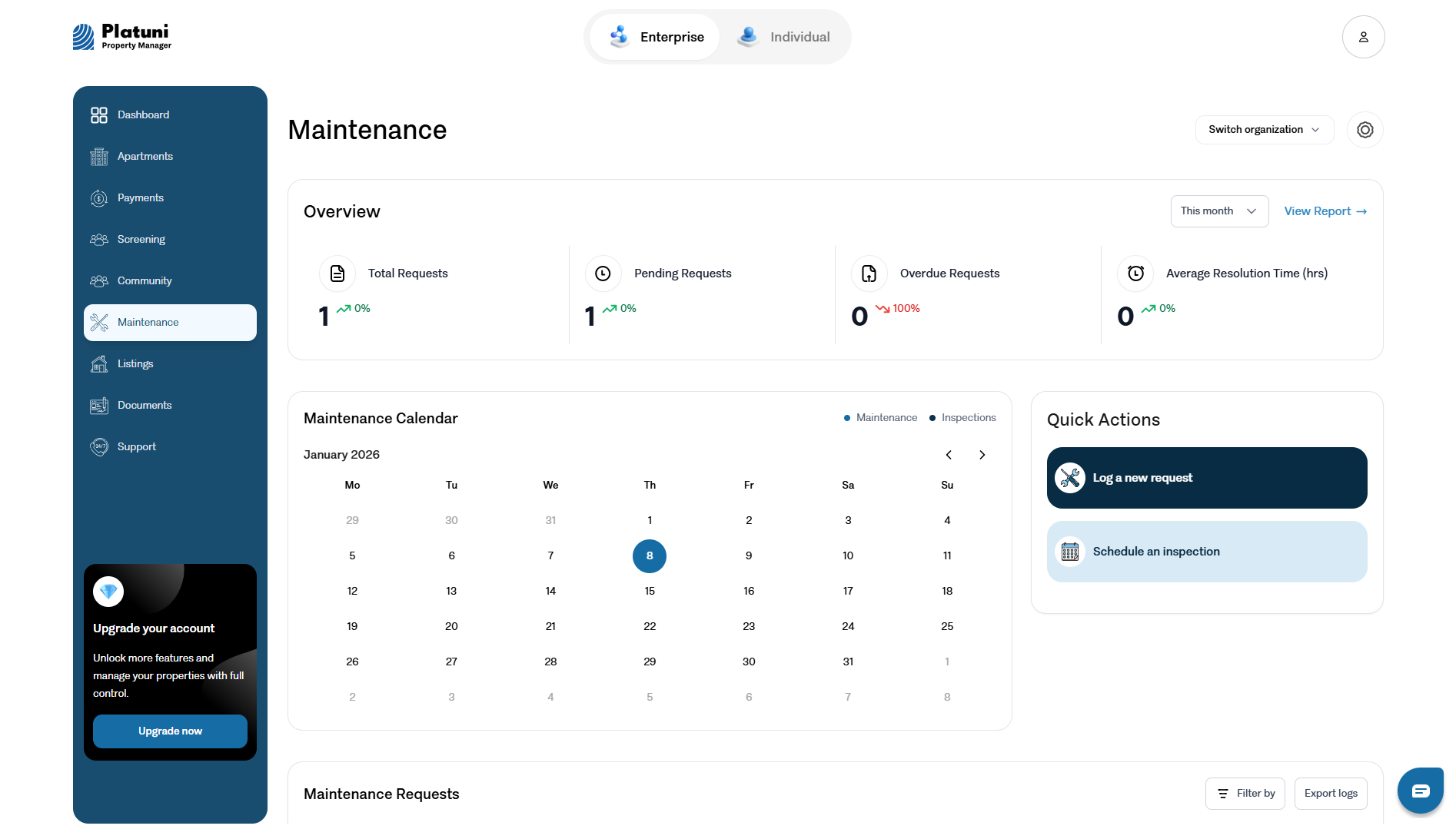
The maintenance portal replaces scattered emails, text messages and phone calls with a structured process. Residents can describe the issue, add photos and select urgency. Your team receives requests in a single organized list.
Why enable this early
• Gives residents a clear, reliable way to report issues
• Helps managers assign tasks quickly
• Prevents lost or forgotten requests
• Builds a record of each issue for future inspections and planning
• Supports faster response times because all requests are visible in one place
Ideal timing Enable this immediately so residents have a place to report issues from the first day they begin using Platuni.
3. Document templates
Document templates make it easy to create leases, amendments, renewal forms and other standard documents. Templates help maintain consistency across all properties and reduce the possibility of errors.
Why enable this early
• Saves time when processing new leases
• Ensures every document includes required fields and aligned language
• Reduces mistakes, missing signatures and inconsistent terms
• Keeps all documents stored in one place for future reference
Ideal timing Upload or create your templates during your first week. They will support your leasing process right away.
When to turn on advanced features
After your team is comfortable with payments, maintenance and documents, you can add features that deepen operational control and improve the resident selection process.
These are powerful tools, but they are easiest to manage once your core system is already running smoothly.
1. Screening
Screening helps you verify applicant information and make informed decisions. Once enabled, you can request background checks, reference details or other region specific information.
Turn this on when
• You are actively taking applications
• You want a more structured and documented review process • Your region allows screening tools inside rental workflows
Screening is best added after your listings and application forms are already active, so the workflow feels natural.
2. Roommate matching
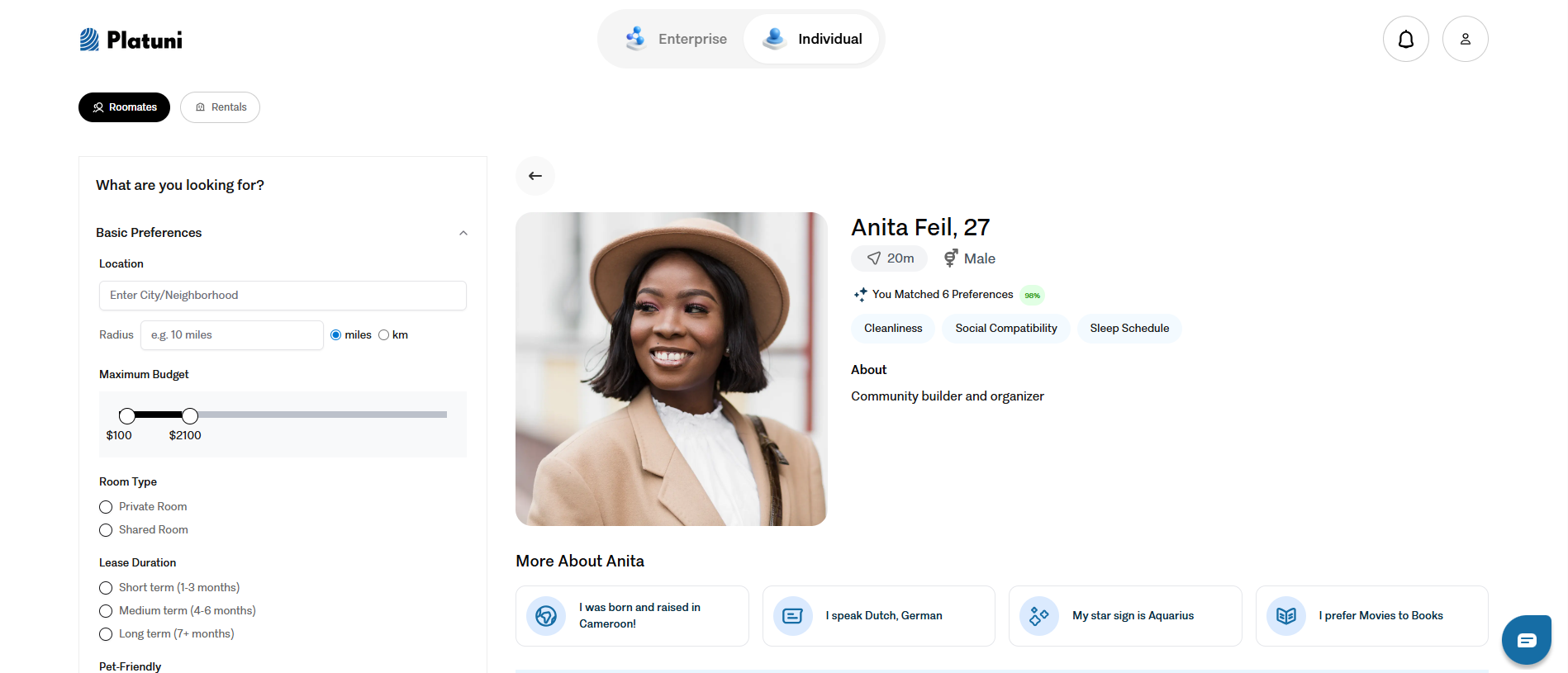
Roommate matching uses values, schedules and lifestyle factors to help groups live well together. This tool is especially helpful for student housing, shared suites or co living programs.
Turn this on when
• You manage shared units or buildings with multiple residents per unit
• You want more control over group compatibility
• You want to reduce conflicts and improve the resident experience
Roommate matching is most effective when your resident data is well structured, so it is usually added after your properties and unit details are fully set up.
3. Advanced reporting
Advanced reporting gives you insight into trends across your portfolio such as occupancy, delinquency, maintenance performance and financial patterns.
Turn this on when
• You have several weeks of data collected
• You manage multiple properties or multiple staff
• You want to make decisions based on clear measures rather than guesswork
Reports become far more meaningful when payments, maintenance and applications have been running for a while, so activate them once your daily workflows are settled.
Putting everything together
The smoothest path looks like this:
Week 1
• Turn on online payments
• Enable the maintenance portal
• Set up document templates
Week 2 and onward
• Activate screening once applications are flowing
• Turn on roommate matching if you manage shared units
• Enable advanced reporting after you have enough data for trends
By following this order, you build a structured, stable foundation before adding the high value tools that help you refine operations, reduce risk and improve resident satisfaction.
Stay Informed
Subscribe to the Platuni B2B Newsletter to receive industry insights,
new feature announcements, and exclusive growth reports