
Generating a digital lease for an approved tenant
by Platuni | 30 Dec, 2025 | 5 mins read
Platuni
30 December, 2025
5 mins read
Once an applicant is approved, Platuni helps you move from application to signed lease quickly. The digital lease process minimizes delays and ensures that all required information is captured correctly.
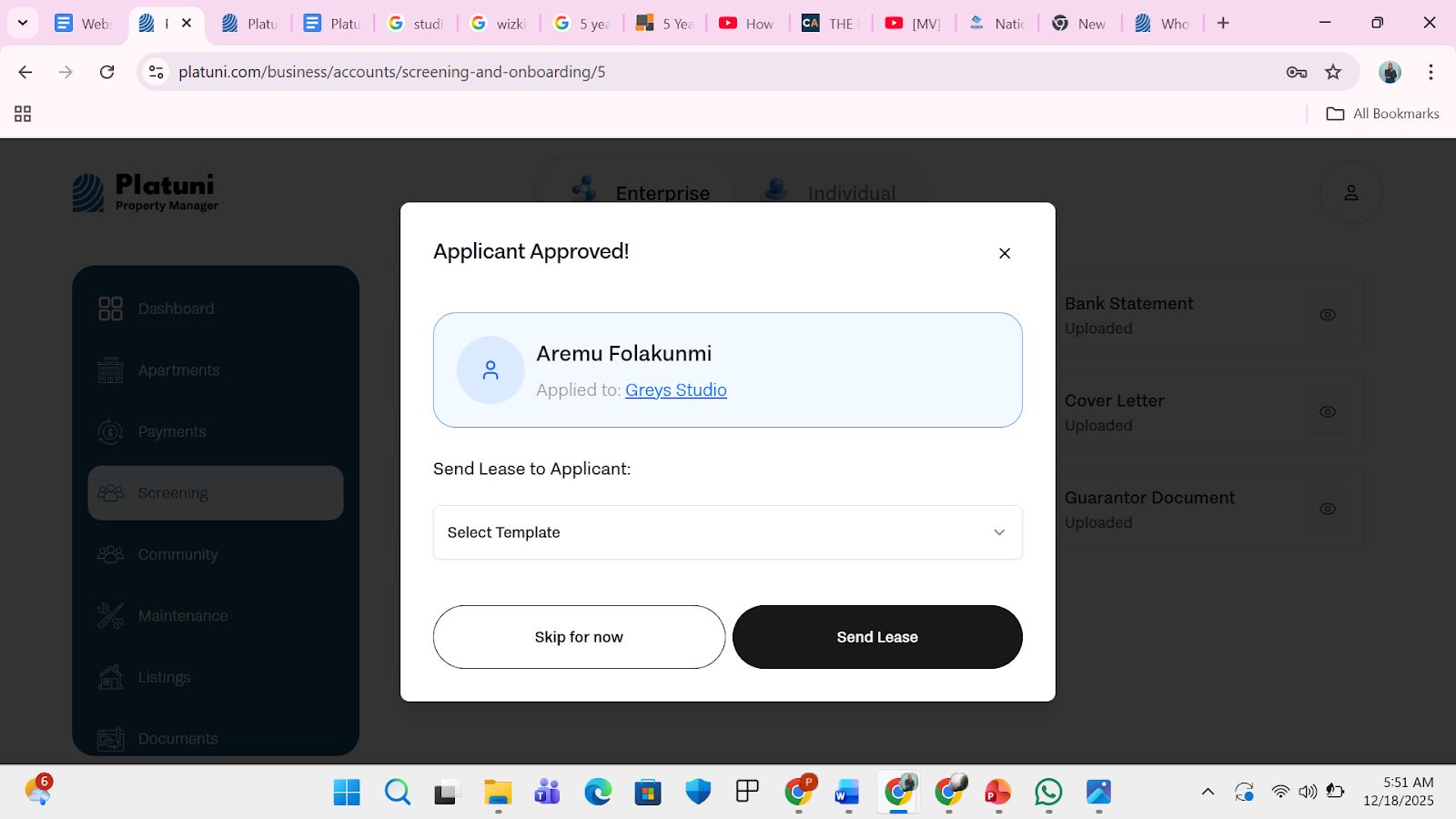
Go from application to lease in a few clicks
From the application review screen, choose Generate lease. Platuni will:
• Prompt you to select the correct lease template
• Pull applicant information into the document
• Attach any required addenda
• Prepare the document for digital signing
This streamlines the transition from approval to move in.
Pre population of tenant and unit data
Platuni automatically fills key fields into the lease, including:
• Tenant names
• Unit details
• Rent and deposit amounts
• Move in date
• Lease term
• Utility obligations
You can review or adjust the information before sending the document.
Review steps before sending
Before the lease is released to the tenant, you can:
• Preview the entire document
• Edit or replace attachments
• Add internal notes for your team
• Confirm who needs to sign
Once ready, select Send for signing.
Stay Informed
Subscribe to the Platuni B2B Newsletter to receive industry insights,
new feature announcements, and exclusive growth reports