
Turning on the maintenance portal for residents
by Platuni | 30 Dec, 2025 | 5 mins read
Platuni
30 December, 2025
5 mins read
The maintenance portal gives residents a simple and reliable way to report issues, upload photos and track progress on repairs. Enabling this feature ensures your team receives requests in a structured format rather than through scattered emails, texts or phone calls.
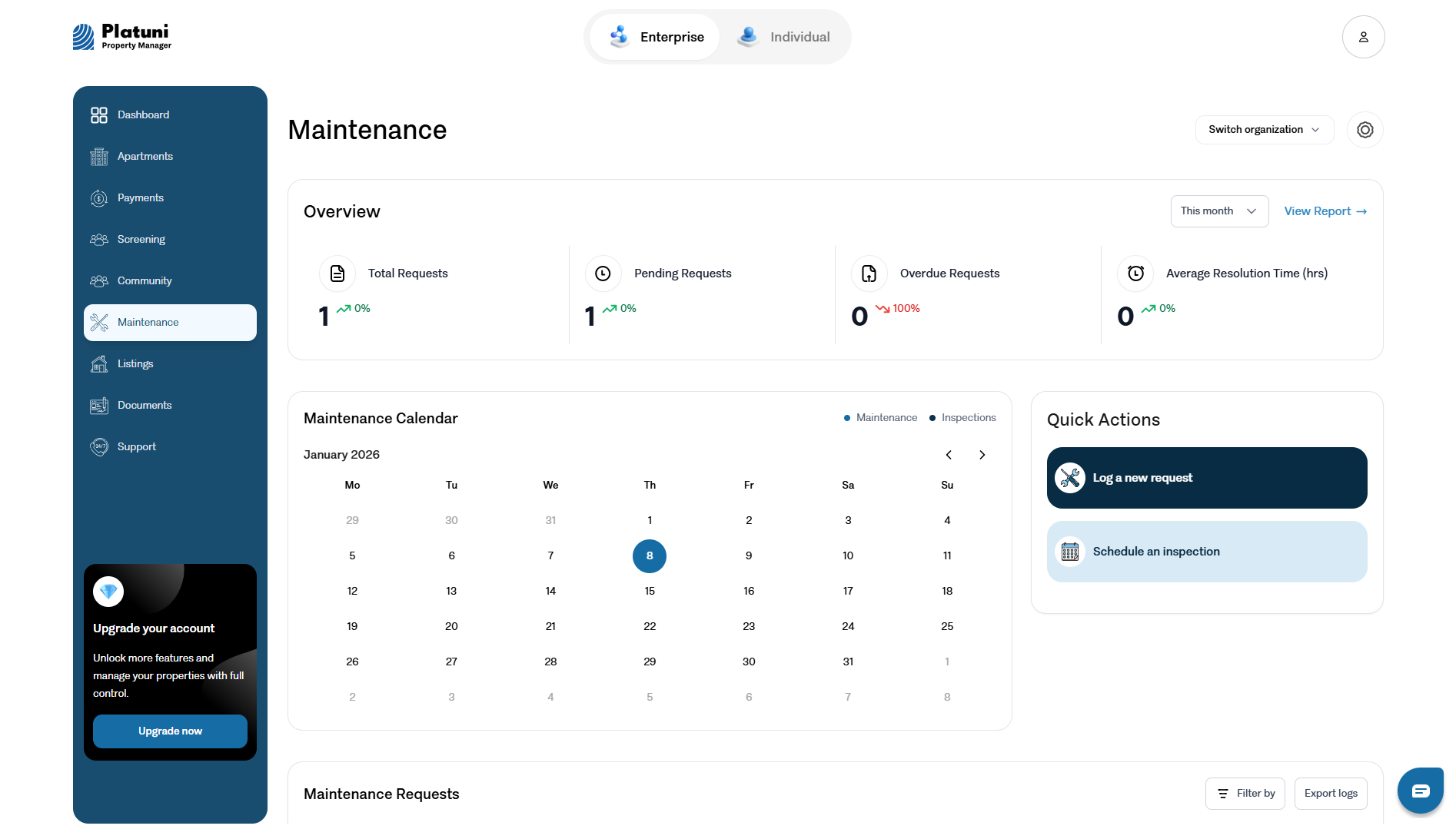
How residents submit requests from the app or portal
Once maintenance is turned on:
Residents can submit a request by:
• Opening the Platuni resident app or logging in through the web portal
• Selecting the Maintenance section
• Choosing the affected unit
• Providing a description of the issue
• Uploading optional photos
• Selecting urgency level
The request enters your maintenance dashboard instantly so your team can take action.
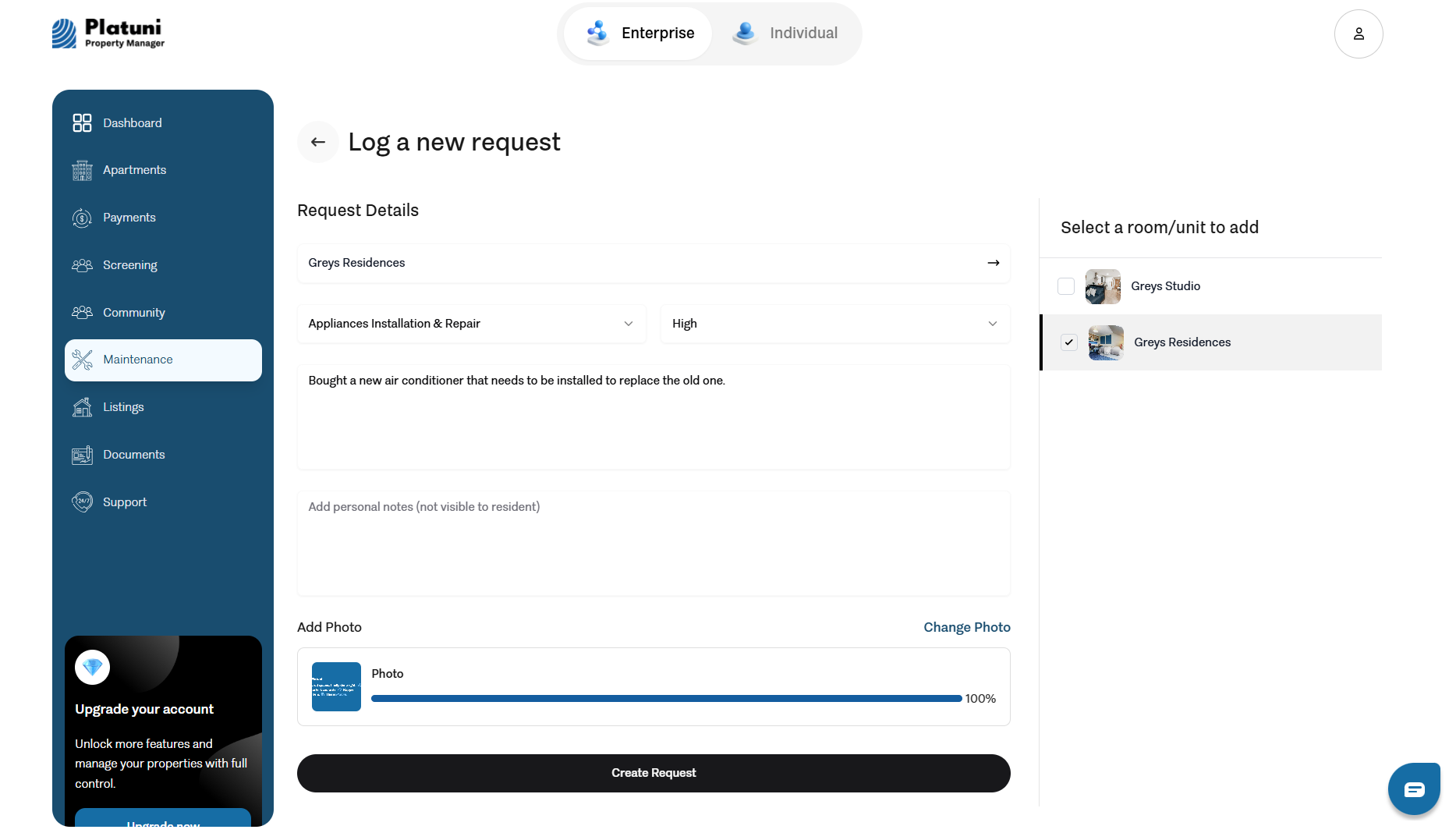
Required fields: unit, description, photos, urgency
When creating a ticket, residents must provide:
• Unit
Ensures the issue is tied to the correct location.
• Description
Helps maintenance staff understand the problem before arriving.
• Photos
Optional but helpful for diagnosing issues without an initial visit.
• Urgency
Categories may include routine, priority or emergency based on your settings.
Clear required fields reduce back and forth communication and allow for faster resolution.
Setting expectations around response times
Platuni allows you to set general expectations that appear to residents when they submit a request, such as:
• Typical response times for non urgent issues
• Emergency procedures
• Operating hours for maintenance staff
Setting expectations improves transparency and reduces follow up messages from residents.
Stay Informed
Subscribe to the Platuni B2B Newsletter to receive industry insights,
new feature announcements, and exclusive growth reports